Generate a GSAP Particle-Sphere Portfolio Animation Site With WorkBuddy
Scene Description
At year-end I needed to make a studio annual-portfolio Showreel. The traditional way is manual editing in After Effects or Premiere, but these tools have high iteration cost for motion interaction and 3D visuals — every easing-curve or particle-parameter tweak means a re-render.
I wanted another way: use GSAP + software 3D projection for a pure front-end animation — 300 particles converge into a sphere, 6 nodes represent 6 work groups, click a node and the camera focuses, a title floats up, the work video expands. The whole thing runs real-time in the browser; you can adjust parameters anytime and see the effect immediately.
But hand-writing this animation's 3D math, particle distribution, timeline orchestration and Mockup layout is very time-consuming. So I handed it to WorkBuddy, describing the need in natural language and letting it generate and iterate step by step.
The Task to Complete
- Input: a 6-scene script (with title, subtitle, work name, link), 27 local media files (MP4/MOV video + screenshots)
- Goal: a self-contained HTML file + local media, playing the particle-sphere Showreel animation real-time in the browser
- Deliverables:
- An HTML animation previewable in the browser
- Pushed to a GitHub repo and online-accessible via GitHub Pages
Preconditions
- WorkBuddy version: one supporting local file read/write and Bash execution
- OS: macOS (Windows/Linux also work; adjust paths slightly)
- Accounts / permissions needed: GitHub account, with SSH key or personal access token configured
- Input files: 27 media files in a local folder, one script text file
Skills Used
No extra Skill installed for this task; used WorkBuddy's built-in capabilities throughout:
| Capability | Purpose | Source / install |
|---|---|---|
| Local file read/write | Read asset files, write generated HTML | WorkBuddy built-in |
| Bash execution | Start HTTP server, check video dimensions, Git ops | WorkBuddy built-in |
| Web preview | Real-time preview of animation in the browser | WorkBuddy built-in |
| GSAP CDN reference | Load GSAP 3.12.5 via <script> tag | External CDN (cdnjs) |
Steps in WorkBuddy
Step 1: Describe the Need and Provide the Asset Path
I sent WorkBuddy the script and asset path:
I'm going to design a studio portfolio animation video, titled "JZ Creative Studio 2025 Showreel".
Requirements: light background + dot-line MG design, opening forms a large GSAP particle sphere,
nodes on the sphere represent work groups; focusing a node pops the work video.

Script:
Scene 1 - SVG interaction design (Banana Under / Chanel / Heytea)
Scene 2 - H5 interactive pages (China News / interactive narrative H5)
Scene 3 - Vibe Coding (online skill Gomoku)
Scene 4 - AIGC creative design (data viz / aerospace popularization / gov comics)
Scene 5 - AI innovation methodology (programmatic flash mob / music remix / SVG fusion)
Scene 6 - Fudan 120th · alma-mater tribute (Fudan 120th-anniversary special)

Assets are all in the local folder: /Users/yaoyao/Documents/Marshall工作文档/运营/Showreel/2025
WorkBuddy read the asset directory, generated the first HTML, and started a local HTTP server for me to preview.
Step 2: Iterate on Visuals and Animation
After the first version, I fed back round by round. Key iteration nodes:
Rounds 2–3: too many colors → switched to Apple black/white/gray (#1D1D1F / #86868B / #F5F5F7); only an opening with no transitions → completed all 6 scenes' full flow.
Rounds 4–5: nodes using CSS 3D Transform got squashed as the sphere rotated → abandoned CSS 3D for pure JS software 3D projection (manual rotation matrix + perspective projection); nodes positioned with 2D translate(), syncing position only, not flipping.
Rounds 6–7: nodes visually outside the sphere → used a Fibonacci sphere-particle index to directly replace the particle at the corresponding position, ensuring nodes sit on the sphere; added axes, great-circle reference lines, tilted orbits, dashed lines between particles.
Rounds 8–9: inconsistent Mockup style → unified to a browser-window wireframe style (title bar + dots + URL + content area); used sips to check all screenshots' actual pixel dimensions, fixing portrait/landscape ratios.
Rounds 10–11: work-display area too small → enlarged Mockup size and added floating animation; titles float from the node position with a connecting line and continuous floating.
Round 12: blank page won't open → JS syntax error (},0}) missing a }); fixed and normal.
Rounds 13–14: animation too fast → globally slowed 1.5–2×, easing switched to power4.inOut / back.out(1.2); Gomoku video cropped → Mockup content-area ratio precisely matched the video ratio (780×528 → 1.560).
Rounds 15–16: nodes entered the sphere interior → multiplied projection coords by 0.82 so nodes visually embed in the sphere surface; end LOGO replaced with an ink-portrait PNG; font switched to Alibaba PuHuiTi 2.0.
Round 17: zoom-in animation didn't show → found that in the GSAP timeline the exit and new-scene camS tweens each created independent temp objects, making start value = end value with no gradient → fixed by sharing one object.
Step 3: Push to GitHub and Enable Pages
Push this project and associated assets to my GitHub repo:
https://github.com/JZCreative/2025showreel
WorkBuddy auto-completed:
- Creating
.gitignore(excluding node_modules, build artifacts) git init+git add+git commitgit push(414MB of media, ~4 min upload)- Enabling Pages via the GitHub API
- Creating an
index.htmlredirect page
Prompts / Task Instructions
Below is the desensitized, reusable core task instruction:
Design a studio portfolio animation. Requirements:
- Light background + dot-line MG design style
- Opening: a GSAP-driven 3D particle sphere (300 particles, Fibonacci distribution)
- 6 nodes on the sphere represent 6 work groups
- Focus a node: sphere rotates → camera zooms → node enlarges → title floats → Mockup expands
- Colors: Apple black/white/gray (#1D1D1F / #86868B / #F5F5F7)
- Font: Alibaba PuHuiTi 2.0
- Keyboard control: Space play/pause / ← → switch scenes / Esc jump to end
- Ending: particles dissipate, ink portrait fades in

Asset path: [local folder path]
Typical feedback instructions in the iteration phase:
The nodes still look outside the particle sphere; bring them inside the sphere;
the Gomoku video is cropped — adjust the Mockup ratio to match the video;
the overall animation is too fast — slower and smoother;
replace the end LOGO with this PNG.
Effect in WorkBuddy
Final deliverables:
- Main file:
showreel-preview.html(~33KB, self-contained HTML + CSS + JS) - Media assets: 27 files under
public/works/(13 videos + 14 screenshots) - Online preview: https://jzcreative.github.io/2025showreel/
- GitHub repo: https://github.com/JZCreative/2025showreel
Animation-effect overview:
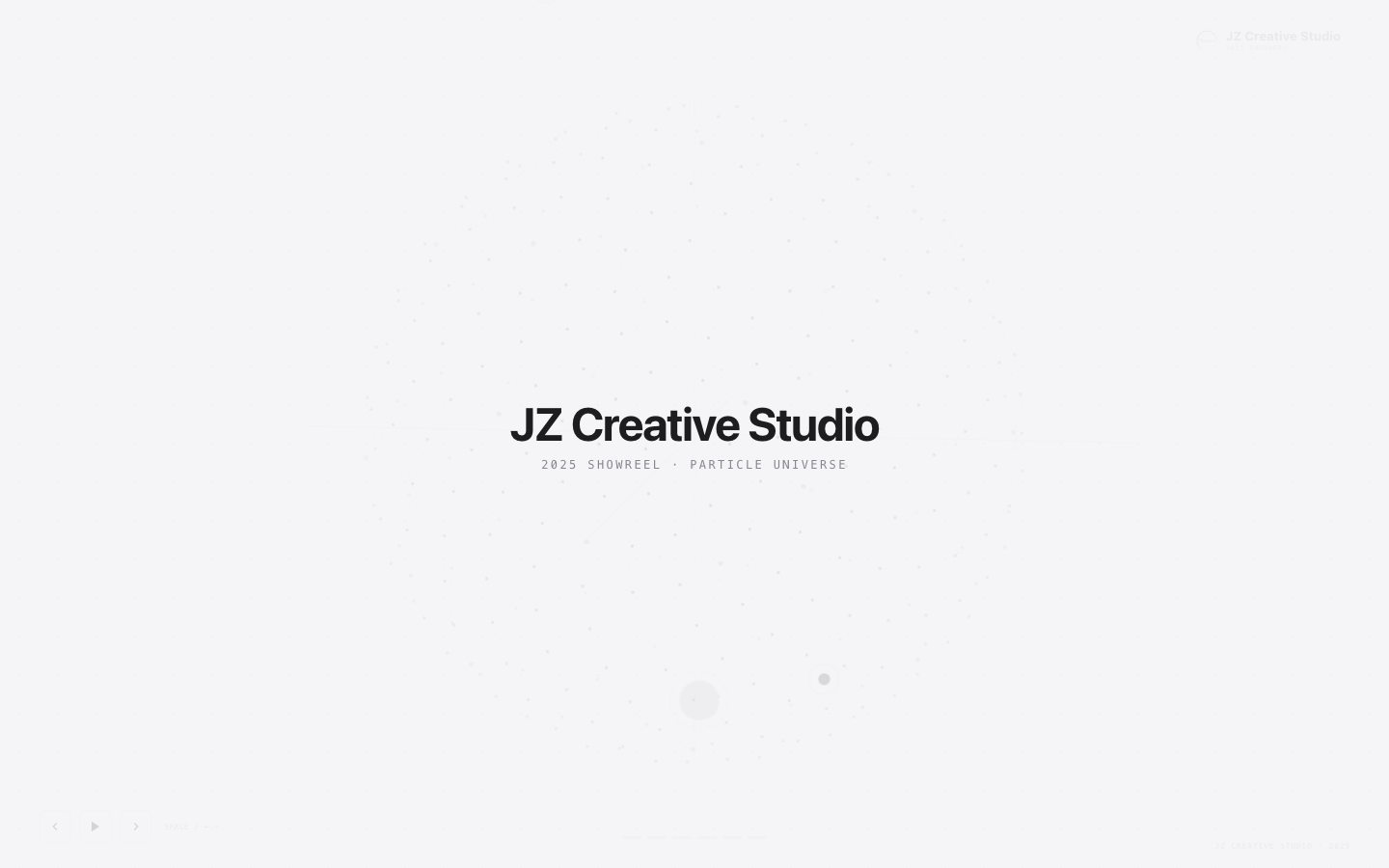
300 particles converge into a sphere, with axes, great-circle reference lines and dashed lines between particles.
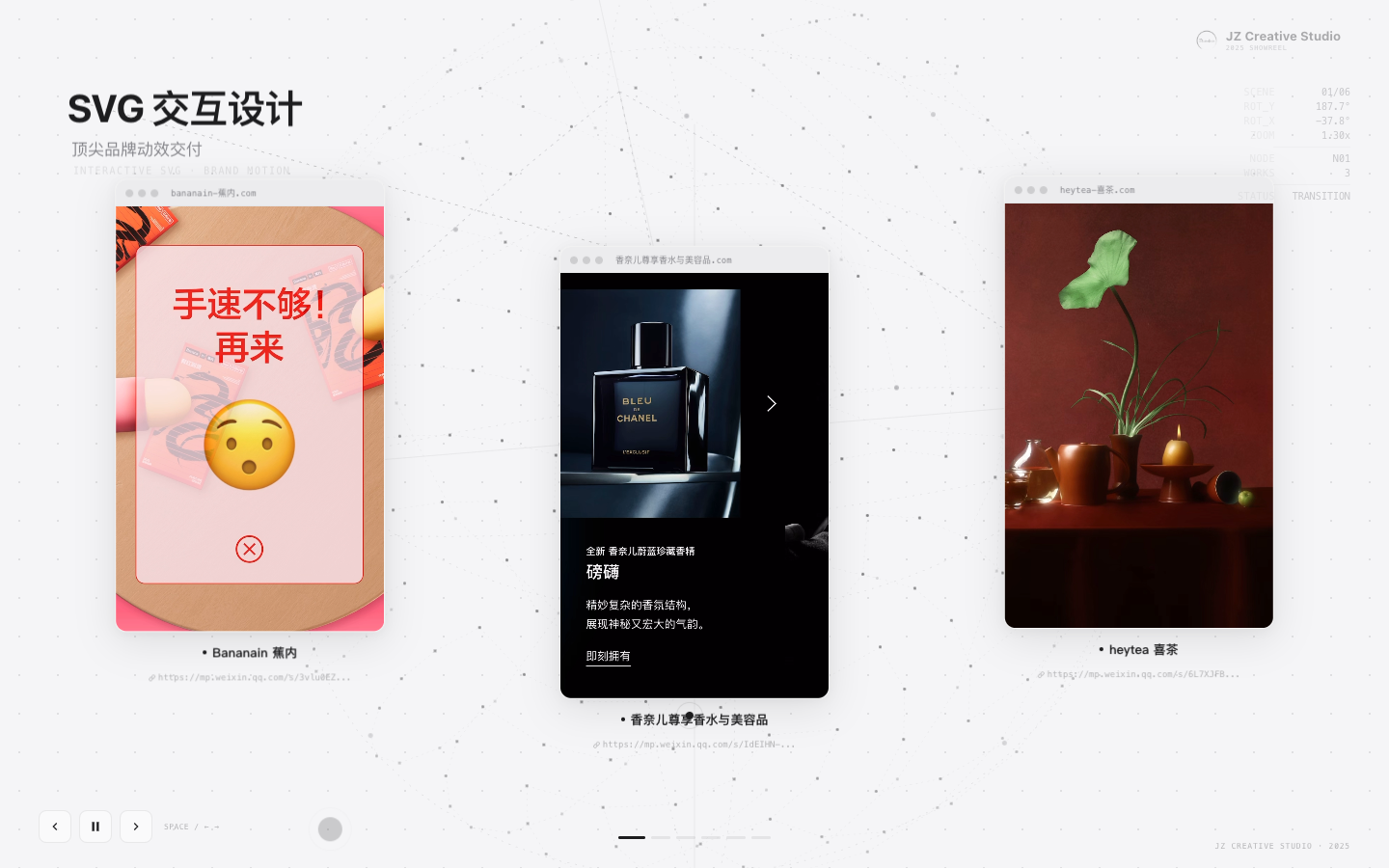
After focusing a node, the title floats from the node, the Mockup browser window expands along a branch line, and the top-right info panel shows rotation data in real time.
- 300 particles converge from a scattered position into a sphere (3s,
power4.out) - The sphere slowly auto-rotates, with axes, great-circle reference lines, dashed lines between particles
- Click a node or press
→to switch scenes: the sphere rotates the target node to the front (1.8s,power4.inOut) - Camera zooms to 1.3×, node enlarges 1.8× (
back.out(1.2)bounce) - Title floats from the node position to the top-left, with a Bézier connecting line
- The Mockup browser window expands along a branch line, with continuous sine.inOut floating
- Top-right info panel shows rotation angle, zoom multiplier and current node in real time
Acceptance Criteria
- [x] Opening in the browser plays the full animation of all 6 scenes normally
- [x] The particle sphere rotates smoothly; nodes are inside the sphere surface
- [x] Each scene's video ratio is correct, no cropping
- [x] Keyboard control (Space / ← → / Esc) responds normally
- [x] After playing to the end, it doesn't auto-loop
- [x] Font is Alibaba PuHuiTi 2.0
- [x] The end shows the ink portrait
- [x] GitHub Pages is accessible online
- [x] README includes project description and usage
Issues Encountered
CSS 3D Transform squashed nodes
Problem: nodes as 3D-transformed divs got perspective-squashed during sphere rotation.
Solution: fully abandoned CSS 3D Transform for pure JS software 3D projection. Manually compute the rotation matrix (Y-axis rotation → X-axis rotation → perspective projection); position nodes with 2D translate(x, y), syncing position only, not participating in 3D flipping.
Performance lag (69000 DOM updates/frame)
Problem: 260 particles each bound an onUpdate: apply() callback, triggering 260 full DOM updates per frame.
Solution: switched to gsap.ticker.add(formTick) single-frame callback, calling apply() only once per frame to update all particles and decorative elements uniformly.
Zoom animation instant jump
Problem: the exit-old-scene and new-scene camS tweens each created a temp object {s: camS}; at timeline creation camS=1.3, so the new-scene tween ran 1.3→1.3 with no gradient.
Solution: at the start of goScene() create a shared object const camObj = {s: camS}; both exit and new-scene tweens operate on the same object — the exit tween first returns the value to 1, then the new-scene tween gradients from 1 to 1.3.
GitHub large-file warning
Problem: s2w1.mov (67MB) exceeded GitHub's recommended 50MB limit.
Solution: still within the 100MB hard limit; push succeeded. GitHub issued a warning but didn't block. For larger files later, consider Git LFS.
Safety and Limits
- Local file access: WorkBuddy needs to read the local asset folder; ensure the path is correct and files contain no sensitive info.
- GitHub push: before pushing, confirm
.gitignoreexcludesnode_modules, build artifacts and.workbuddyworkspace data. - GitHub API: enabling Pages needs a personal access token; don't commit the token to the repo.
- Media copyright: ensure the pushed videos and screenshots have publishing rights; all works in this project are self-owned content.
- Online preview: GitHub Pages is publicly accessible; confirm content can be shown publicly.
How to Reuse
This case's method can migrate to many scenes:
- Swap content: replace the script and assets with your own portfolio to generate a personal Showreel.
- Adjust visuals: modify
--fd/--fb/--fmCSS variables to switch fonts; modify--bg/--ink/--softto switch palette. - Add/remove scenes: add/remove entries in the
SCENESarray; adjust theNIDXnode index. - Swap 3D effect: modify the
project()projection params orgenSphere()distribution algorithm for different sphere forms. - Migrate to other frameworks: the core 3D-projection logic is pure JS and portable to React/Vue components.
Key takeaways:
- Describe effect first, then implementation: tell WorkBuddy the visual effect you want, not a tech solution directly. It'll find the optimal solution through trial (e.g. the shift from CSS 3D to software projection).
- One feedback point per round: feed back only the most prominent issue each time; avoid changing too much at once so it's hard to locate.
- Verify facts with
sips/ffprobe: for objective params like pixel dimensions and video ratios, use CLI tools to get actual values, not eyeballing. - Shared object avoids tween state loss: when multiple tweens in a GSAP timeline operate on the same variable, must use a shared object, not each creating its own temp object.