Chapter 23 — Other Uses: A WorkBuddy Hands-on Case Collection
Prior chapters covered the core capabilities of the Agent toolchain: file handling, database operations, MCP connections and enterprise collaboration. This chapter adds a few easily-overlooked but high-value uses, taking WorkBuddy as the example — covering short tasks, design creativity, Skill linkage, browser automation and project management.
The core differences between WorkBuddy and most AI chat software are three: it can directly read and modify local files, the learning curve is low, and entry points are clear. For readers who haven't yet built a systematic Agent workflow, these cases can serve as a starting point.
Model and Cost: Use the Free Quota Fully First
WorkBuddy has several domestic large models built in. The daily sign-in credits basically cover all consumption for light use. Newly released models usually come with a free trial period — HY3 for example had two weeks of free quota after release; even after expiry, its pricing sits in the first tier of cost-effectiveness among domestic models.
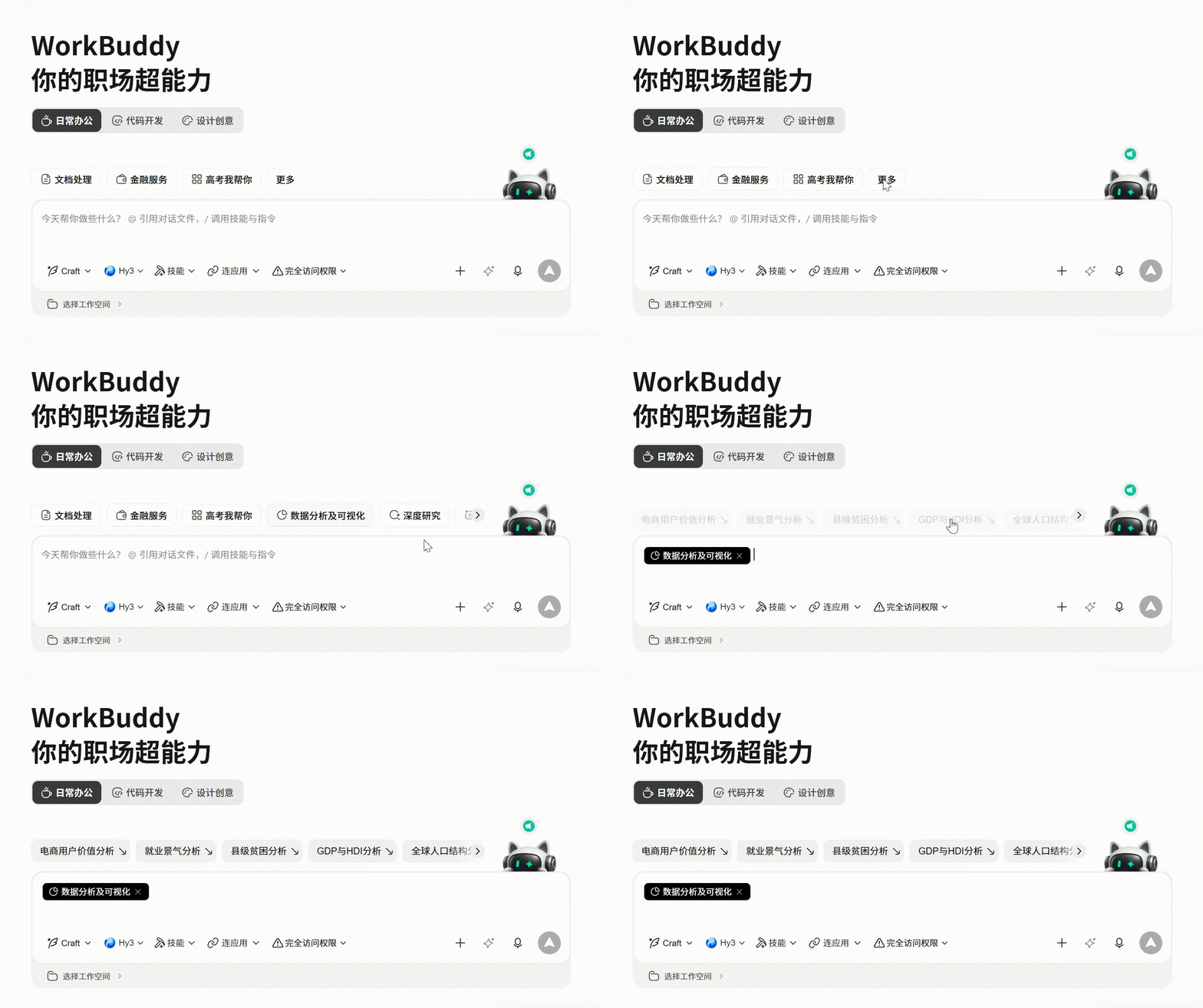
If unsure what to do, WorkBuddy has presets by use-scene — pick one and start.
Short-Task Practice: Excel Visualization and Data Cleaning
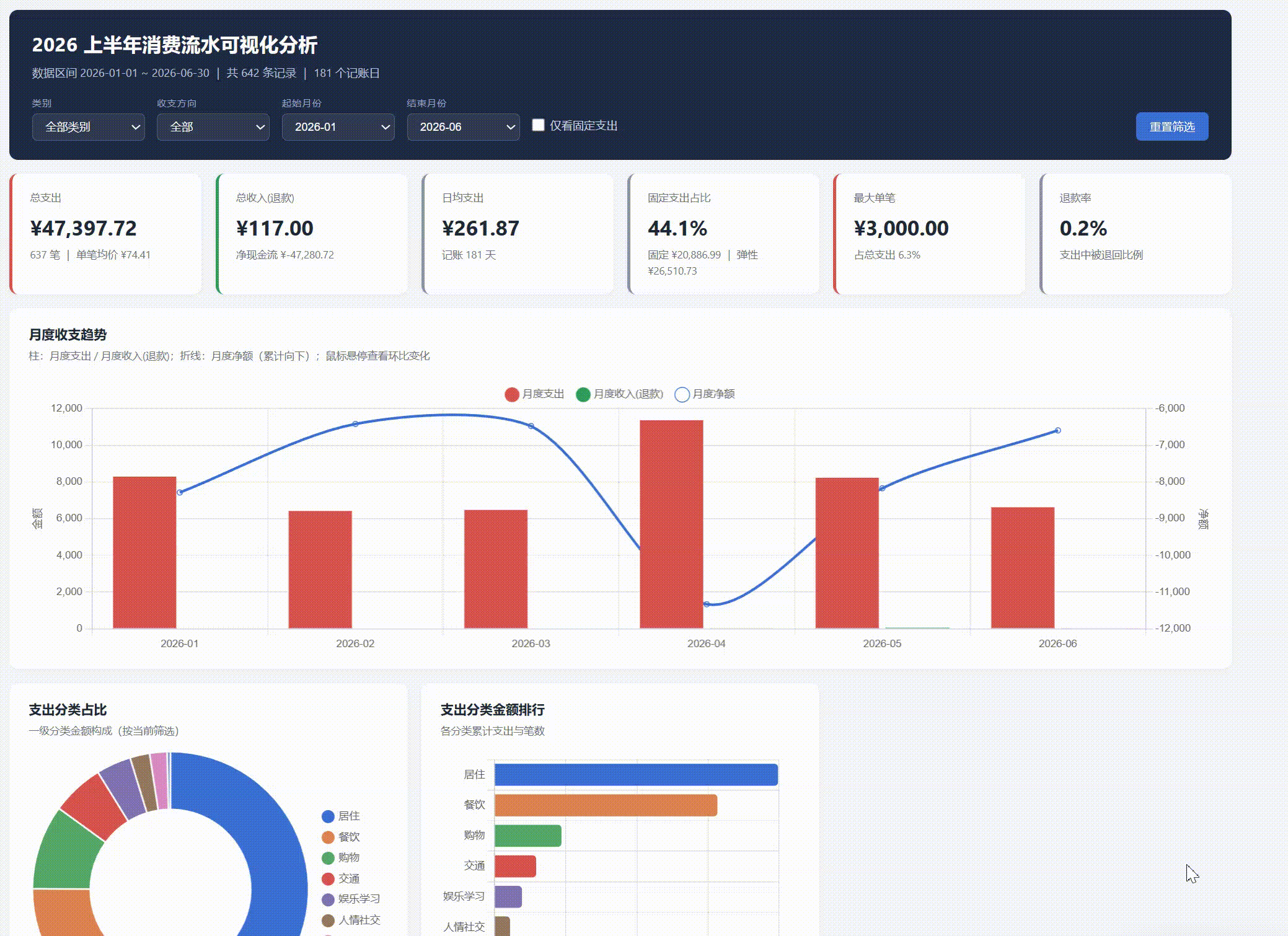
HY3 performs well on short tasks. PPT generation, data cleaning, Excel chart-visualization analysis can all be done directly.
From the launch screen, after entering a task description click the "optimize prompt" button in the bottom-right; WorkBuddy auto-completes details and executes.
Prompt example:
Visualize this ledger data and analyze it.
Focus on:
1. Monthly income/expense trend;
2. Expense-category share;
3. Flag abnormally large expenses;
4. Give 3 actionable money-saving tips.
Execution can be slow, but the final visualization output usually exceeds expectations — charts, trend analysis and a text summary. Data cleaning and PPT generation work the same way.
Design Creativity: Generate a Complete Website With a Prompt
This is an easily-underestimated use. After checking the "website design" scene and giving a prompt, you can get a runnable front-end page. Below are two verified templates.
Template 1: Personal-Portfolio Hero Section
Generate a full-screen hero page with a video background, mouse interaction and responsive layout.
Prompt:
Build a full-screen hero section for a creative portfolio using React, Vite, Tailwind CSS, and the Figtree Google Font.

Requirements:
1. Three full-screen looping videos as background, switching via crossfade, 1200ms opacity transition;
2. Top nav bar: left nav items formatted as "01 / Works", right side shows email and a live clock;
3. Bottom content area: large name on the left (200px), intro copy and CTA button on the right;
4. Button hover effect: background color fills up from the bottom;
5. Responsive adaptation for tablet and mobile;
6. Disable all animations under prefers-reduced-motion.
Template 2: Creative-Agency Landing Page (Mouse-Controlled Video)
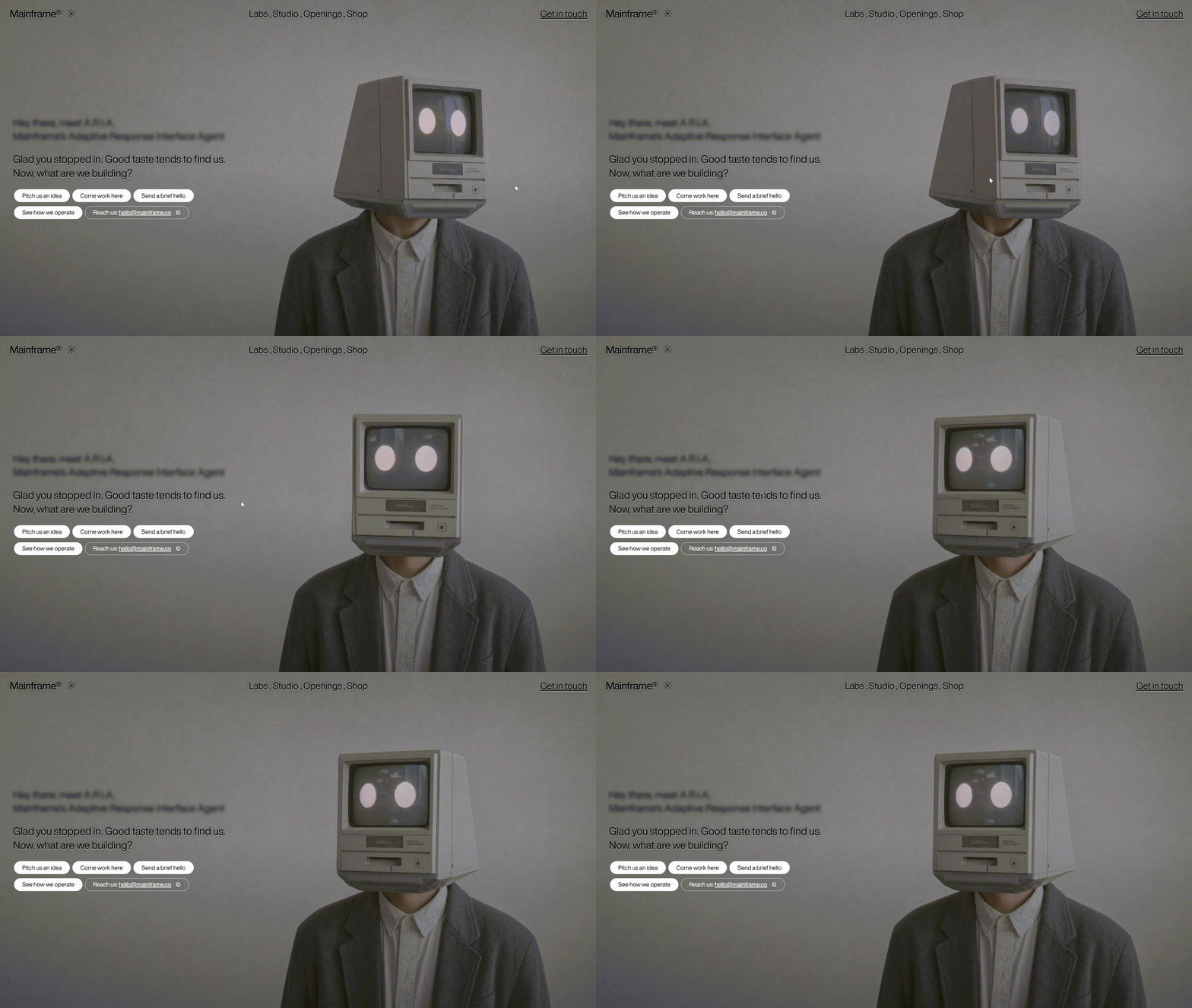
This template's feature: the video doesn't auto-play; it follows horizontal mouse movement to control playback progress.
Prompt:
Build a full-screen hero landing page for a creative agency called "Mainframe" using React, TypeScript, Vite, and Tailwind CSS.

Core interaction:
1. Full-screen video background, no auto-play;
2. Horizontal mouse movement controls video playback progress (sensitivity = 0.8);
3. Top nav: left logo + decorative asterisk, center nav links comma-separated, right CTA;
4. Hero content: blurred intro text + typewriter-effect main copy + rounded pill-button group;
5. Mobile: hamburger menu, CSS Grid expand animation;
6. Button hover: white fill to black text.
Both templates were completed entirely with the HY3 model.
Skill Linkage: Cross-Service Smart Recommendation
WorkBuddy's Skill system lets the Agent connect various daily-use services. This cross-service linkage is the core value of the Skill ecosystem — not replacing an App, but acting as a connection layer between Apps.
Example: WeRead + QQ Music
After installing and connecting WeRead and QQ Music Skills, you can get cross-service smart recommendations:
Prompt:
Based on the books I've been reading lately on WeRead, recommend playlists matching the reading vibe.
Requirements:
1. First read the last 7 days of reading history;
2. Analyze the books' emotional tone and theme;
3. Match playlists of similar style on QQ Music;
4. Output the recommendation reason and playlist links.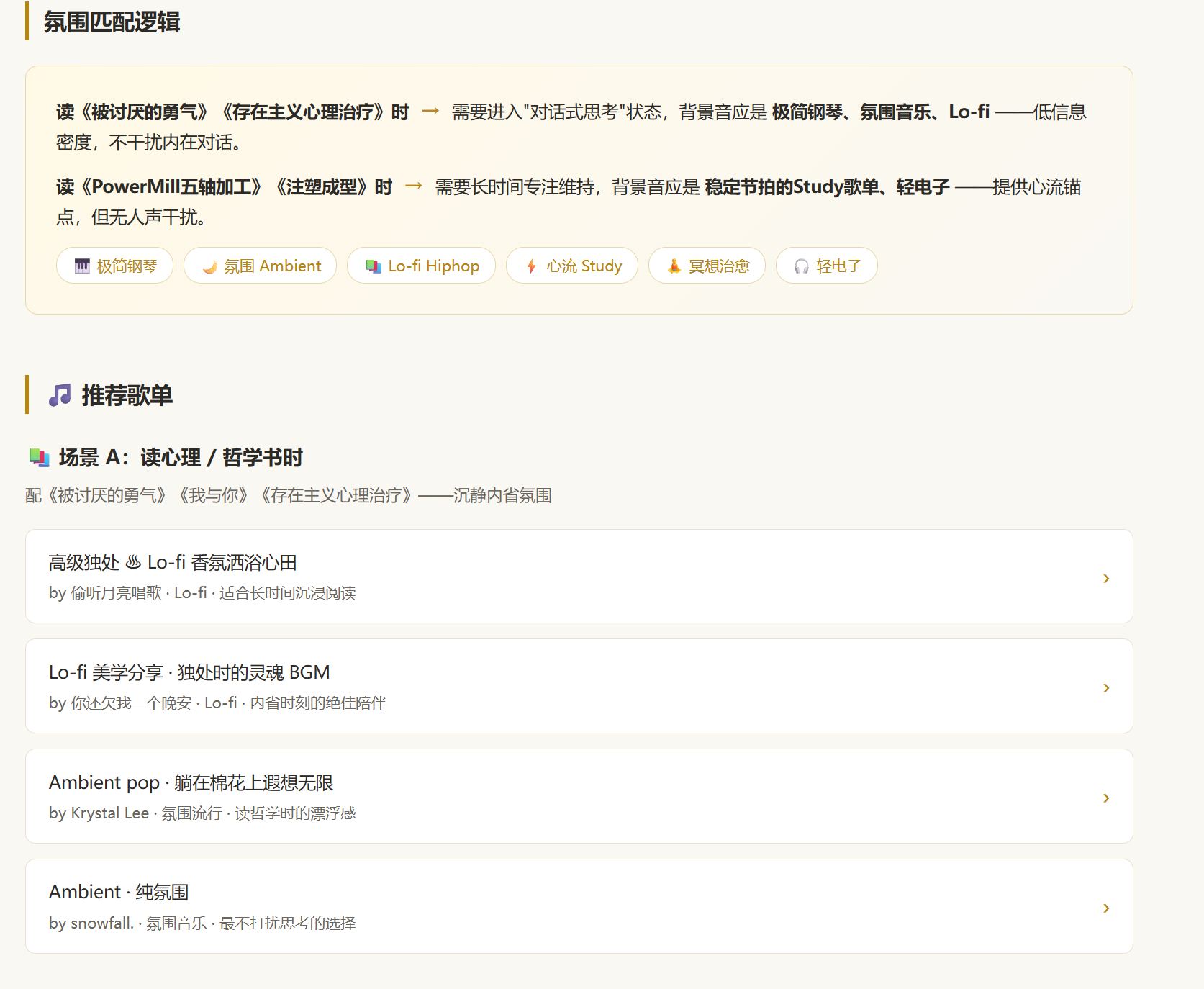
The WeRead Skill install link can be obtained on the official page: https://weread.qq.com/r/weread-skills.