Chapter 24 — How to Design a Multi-Agent System
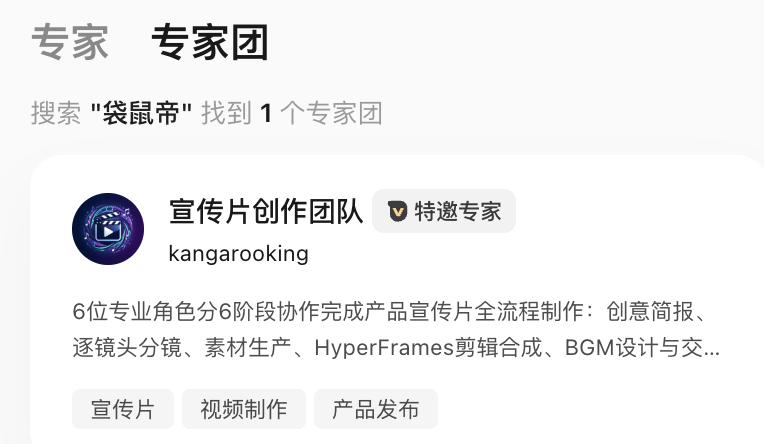
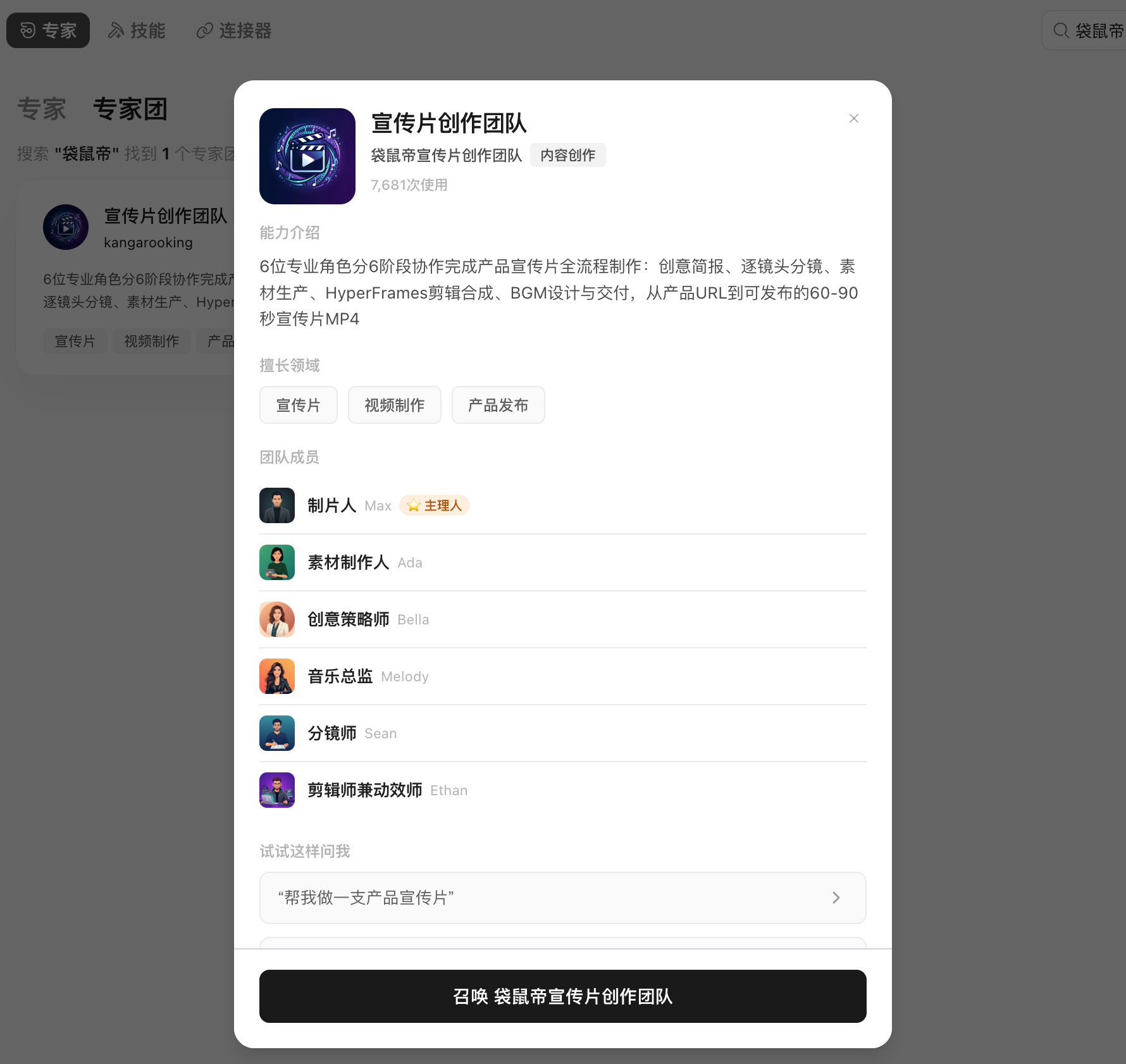
A one-person-company product-promotion practice (HyperFrames + multi-Agent) and WorkBuddy expert-team products. This chapter uses a real product-promo expert-team case to answer: how to design division of labor in a multi-Agent system, how to chain artifacts, and when splitting is worth it.
The Real Difference Between Single- and Multi-Agent
| Dimension | Single Agent | Multi-Agent |
|---|---|---|
| Context | All info in one task | A role receives only necessary context |
| Division | One executor completes serially | Multiple roles parallel or relay |
| Tools | Same permission set | Tools and permissions can be isolated per role |
| Quality | Self-generate, self-check | Can set an independent reviewer |
| Cost | Lower | More coordination, model and tool calls |
| Risk | One error affects the whole | Errors can propagate between roles |
Multi-Agent's value comes from professional division of labor, parallelism, permission isolation or independent review — not from the number of roles.
Whether a Task Is Worth Splitting
The more it meets, the more it suits multi-Agent:
- At least two subtasks can proceed independently;
- Subtasks need different methods, material or tools;
- The output can define a clear handoff format;
- Parallelism meaningfully shortens wait;
- There's a clear overall owner and final acceptance;
- The budget allows multiple rounds of calls.
Editing one email, summarizing one PDF or formatting one table doesn't need an expert team.
Case: The Product-Promo Expert Team
Task Background
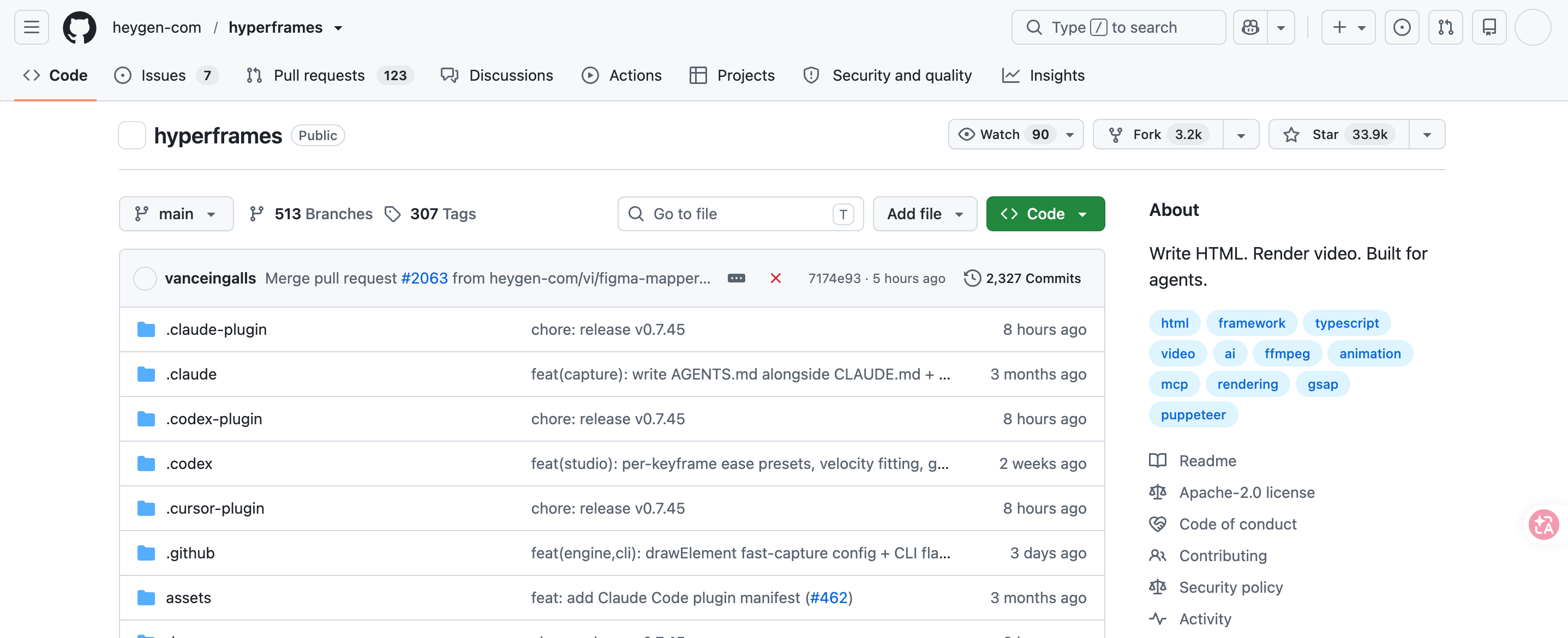
HyperFrames is HeyGen's open-source video-render framework (17.7K GitHub stars at case time); its core trait is being friendly to AI Agents: an Agent can auto-generate HTML-based video frames and render output. Product-promo videos have a fairly fixed套路 — no voiceover or actors; mainly product展示, concept subtitles and BGM. This kind of task suits an Agent team dividing the work.
Process Design
The product-promo expert team's full process:
flowchart TD
    A[Lead: receive task, break down subtasks] --> B[Brief role: research product, output content brief]
    B --> C[Storyboarder: split shot sequence per the brief]
    C --> D[Asset maker: generate or fetch materials each frame needs]
    C --> E[Editor: render frame-by-frame in HyperFrames per the storyboard]
    D --> E
    E --> F[Music: analyze emotion curve, generate and pick BGM]
    F --> G[Lead: integrate all artifacts, output final cut]
Role Contract
| Role | Input | Output | Forbidden actions |
|---|---|---|---|
| Lead | User task description, asset space | Task breakdown, status tracking, final cut | Don't deliver skipping subtask acceptance |
| Brief role | Product official site, intro docs | brief.md (product positioning, core value, target users) | Don't write the script directly |
| Storyboarder | brief.md | Storyboard (timecode,画面, subtitles, transitions, motion) | Don't introduce info the brief didn't confirm |
| Asset maker | Storyboard | Product screenshots, concept images, UI assets | Don't use unlicensed material |
| Editor | Assets, storyboard | Per-frame MP4 clips | Don't alter the storyboard structure |
| Music | Storyboard, emotion marks | BGM candidates and recommendation reason | Don't output only one option |
Expert-Team Demo
Before making the promo, first put the relevant assets into the workspace.
I want you to make a product promo — specifically, promoting Tencent's WorkBuddy latest expert team,主打 OPC scenes. I've placed some assets in the current space; the final-cut style can lean Apple-style, real software UI. The whole process is fully automatic.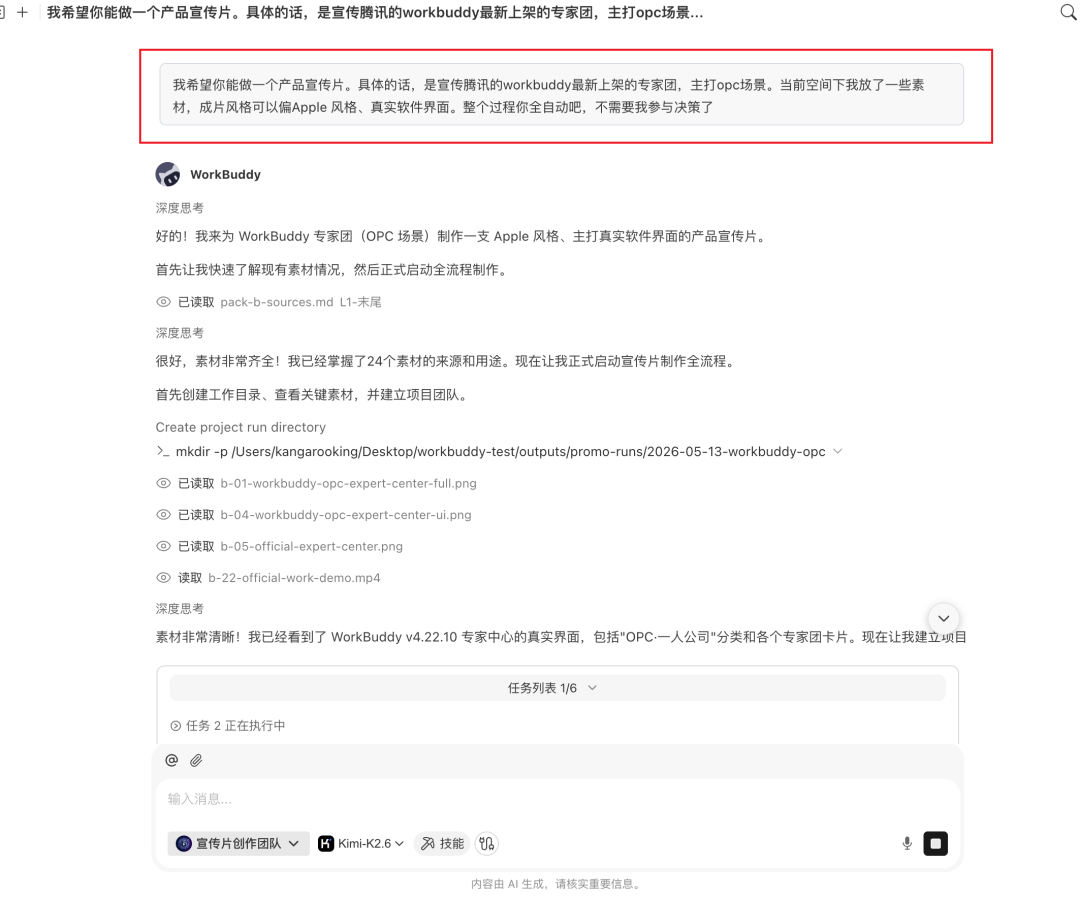
The lead first takes the task: breaks "make a promo" into a string of subtasks — first figure out what the WorkBuddy expert team actually is, who it's for, what the core value is; then decide the narrative structure, shot count and rhythm; then split to do assets, editing and music.
The brief role starts: flips through the WorkBuddy official site, product intro and expert-team list, and outputs a brief — what product, who the target users are, the few core points most worth fitting into 60 seconds.
The storyboarder then works off the brief: splits 60 seconds into 7 shots, each detailed down to timecode,画面, text, transition, motion and the asset type needed.
Then the asset maker and editor get to work: one generates / fetches product screenshots and concept images, the other stuffs the assets into HyperFrames per the storyboard, rendering each shot's MP4 segment.
The most interesting is the music role: it doesn't just write a "tech-feel BGM" prompt and stop — it first reads the storyboard, studies each shot's emotion curve, marks where drum hits should卡 the product reveal, where to drop for留白, where a hit point should push the CTA. Then it calls the music model to generate candidate BGM.
Finally the lead integrates all artifacts, runs the final edit pass, and outputs the final cut.
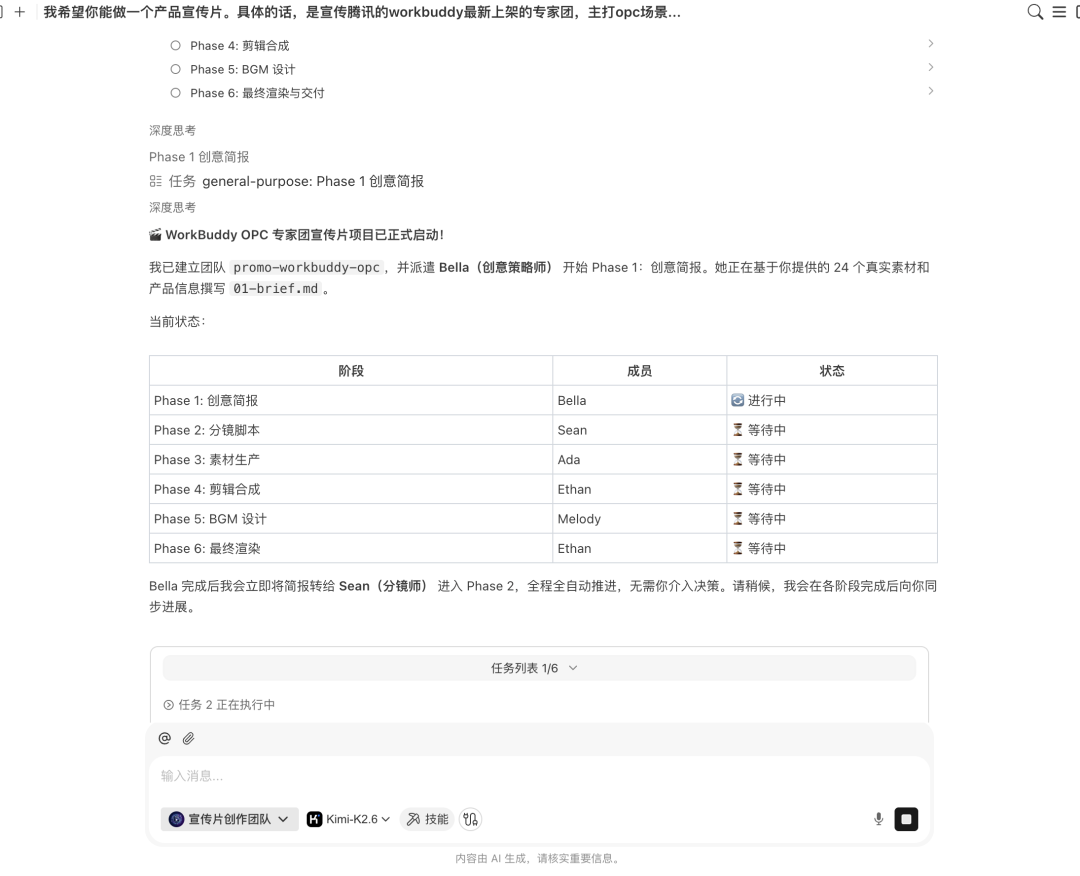
I was basically a bystander throughout: occasionally calling the shot at key nodes — whether to order the storyboard this way, whether I like the BGM, whether to change the subtitle copy.
The final video came out quite nice.
Shared Artifact Layer
Multiple Agents shouldn't each keep their own copy of "product facts". Establish a single artifact path:
project/
├── brief.md                  # product brief (Brief role output, lead-confirmed)
├── storyboard.md             # storyboard (storyboarder output, lead-confirmed)
├── assets/                   # assets (asset maker output)
│   ├── screenshots/
│   └── concepts/
├── clips/                    # per-frame clips (editor output)
├── bgm/                      # BGM candidates (music output)
└── output/final.mp4          # final cut (lead integration)
Downstream roles only read upstream-confirmed artifacts. Roles don't pass key content detail through dialogue.
Parallel and Serial
Can parallel: asset generation and edit prep, rendering of different shot segments.
Must serial: storyboard only after brief confirmed; assets only after storyboard confirmed; editing only after assets ready; music synthesis only after the final cut is done.
A parallel plan must mark merge points. Asset and editing prep can run in parallel, but final synthesis must wait for all assets in place.
The Lead's Responsibilities
The lead (producer) is the workflow controller:
- Interpret the user task and maintain subtask state;
- Distribute minimal-necessary context to each role;
- Check whether upstream artifacts meet the handoff format;
- Decide parallel, wait or retry;
- At key nodes (storyboard confirm, BGM pick) ask the user to call it;
- Assemble all artifacts and run final synthesis;
- Do a consistency check on the final cut (画面, subtitles, BGM rhythm alignment).
Three Points That Must Be Human-Confirmed
- Brief confirm: whether product positioning, target users and core selling points are accurate;
- Storyboard confirm: whether the narrative structure, shot count and rhythm match expectations;
- BGM pick: whether the emotional style matches the final-cut tone.
The Agent generates and executes; it can't replace brand-direction and style judgment.
Productization Path: From Self-Built to Preset Expert Teams
Self-Built Team
Package the above roles as a set of Skills and orchestrate them yourself in an Agent framework. Suited scene: developers who need full control over each role's prompt, tool permissions and handoff format. The门槛 includes: defining role职责, designing handoff formats, debugging parallel and serial logic.
Preset Expert Teams
WorkBuddy expert teams productize this division of labor: the lead handles task breakdown and assignment, members execute in parallel, and the user only describes the task.
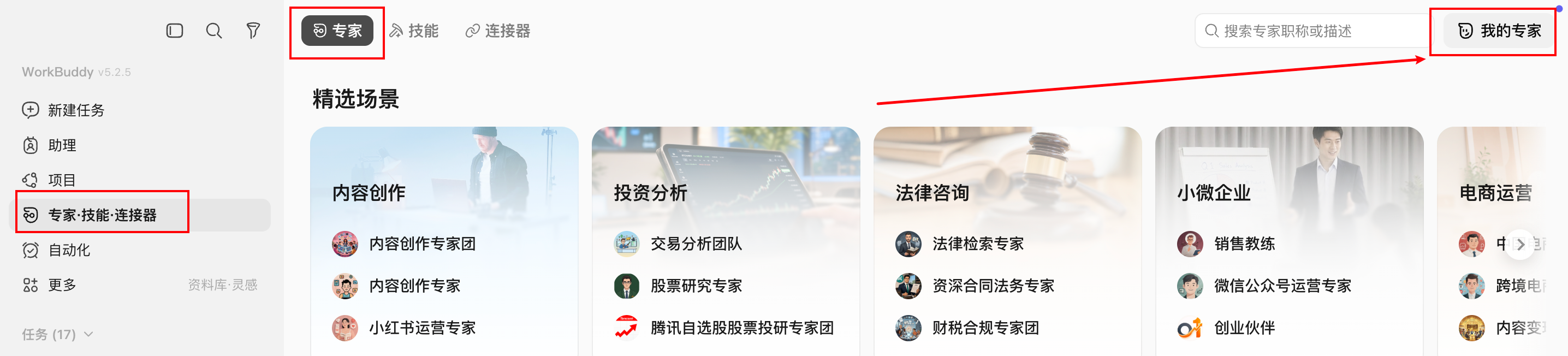
Creating an expert team is also simple: Experts → My Experts → Create Expert.
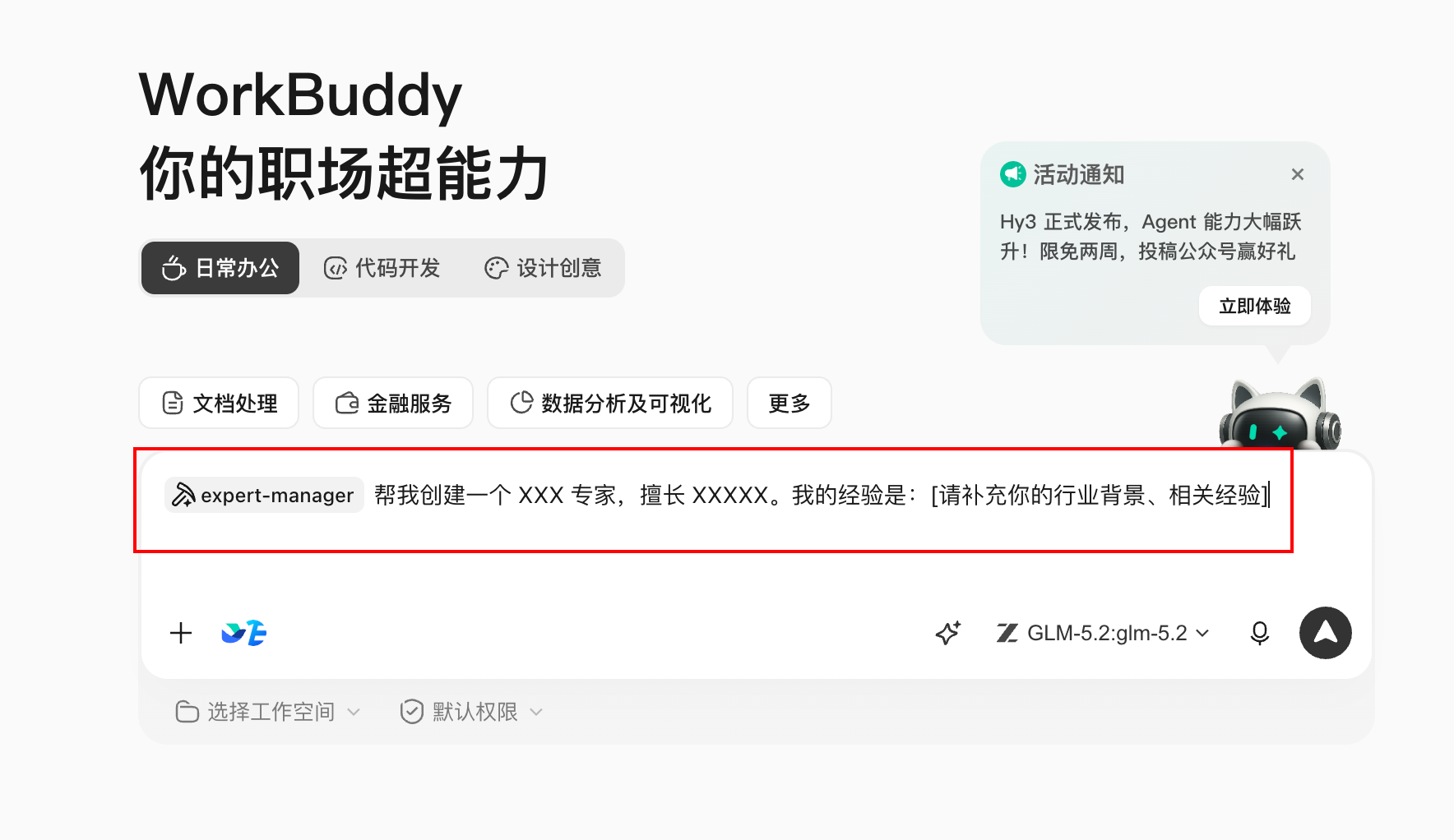
It jumps to the WorkBuddy conversation box; per the format it gives, you can quickly create your own expert.
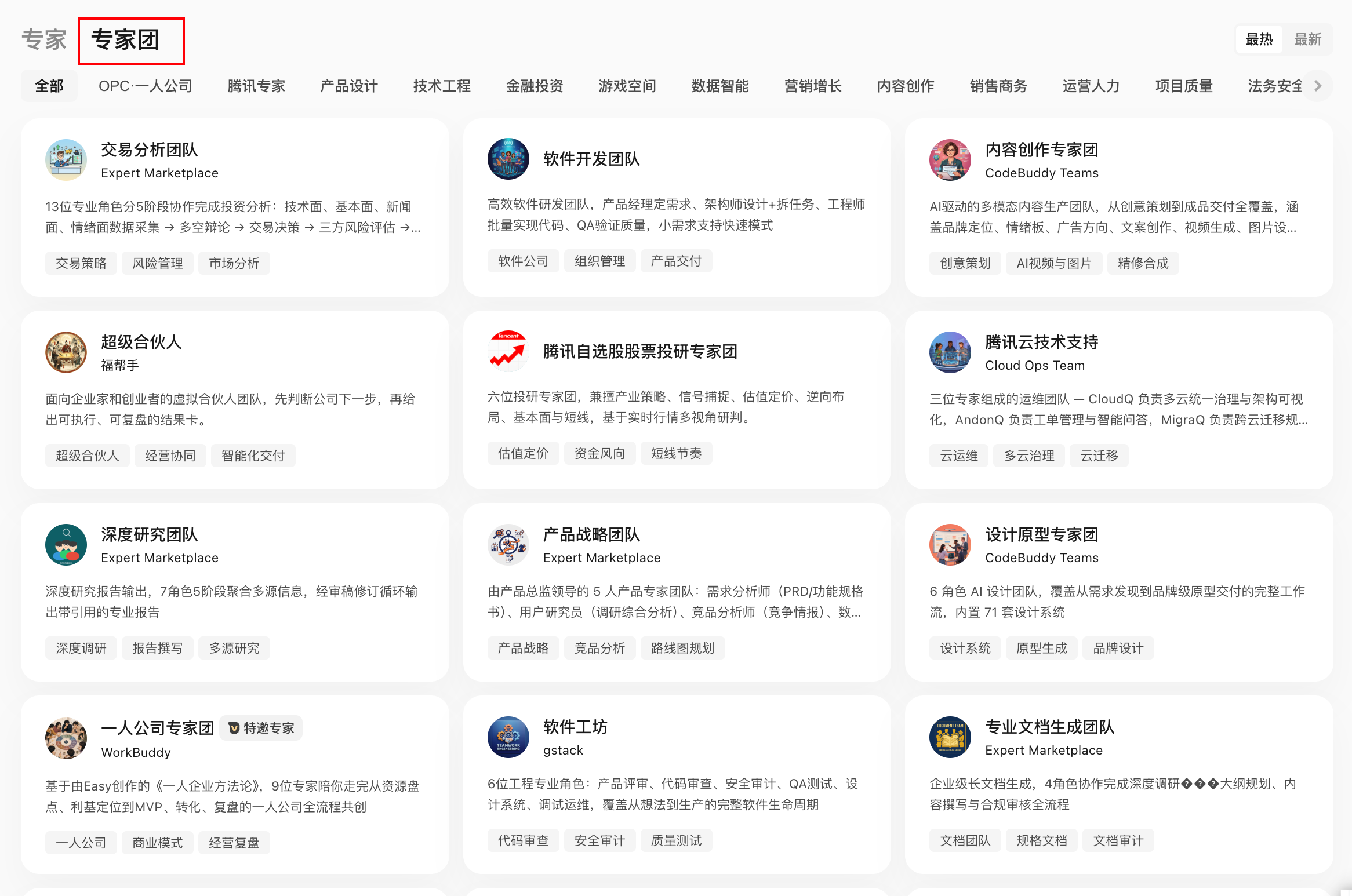
Typical scenes currently covered by expert teams:
| Scene category | Representative expert teams |
|---|---|
| Content creation | Product promo, viral content creation, full-domain distribution |
| Software R&D | Software development, code testing |
| Business analysis | Deep research, investment analysis, data analysis |
| Business support | SEO, sales, marketing, finance & tax compliance, HR |
| Legal compliance | Chinese law |
Choosing Between the Two Paths
| Dimension | Self-built Skills | Preset expert teams |
|---|---|---|
| Target users | Developers needing deep customization | One-person companies, direct use |
| Entry门槛 | High (must define roles, debug flows) | Low (describe the task) |
| Flexibility | High (can modify any link) | Medium (supports custom model access) |
| Speed | Depends on build time | Ready out of the box |
Quality-Influencing Factors
Final-cut quality is mainly affected by:
- Agent base model: the Agent model's instruction-following and reasoning directly affect storyboard quality and task-breakdown accuracy;
- Image-generation model: affects product-screenshot clarity and concept-image visual quality;
- User-provided assets: putting assets (images, video) into the asset space beforehand significantly lifts final-cut quality;
- Browser tool access: if the Agent can operate a browser, it can auto-grab official-site screenshots and product UI, cutting manual prep.
The fully-automatic approach suits fast output (open-source project-intro videos, product-demo videos, etc.). For scenes demanding high quality, recommend one more human second-edit pass on top of the Agent artifacts.
Failure-Propagation Control
| Role failure | Degradation |
|---|---|
| Brief role can't get product info | User supplements basics and retry |
| Asset generation fails | Use user-preset assets or mark gaps |
| Edit render times out | Deliver completed clips and the storyboard |
| BGM generation fails | Provide a recommended BGM-type description; user picks |
| Lead synthesis fails | Deliver each role's artifact list; user synthesizes manually |
Degraded delivery must state what's missing — don't disguise as a complete result.
Multi-Agent Task Brief Template
Goal: make a [duration] product-promo video for [product name].
Style: [reference style, e.g. Apple-style, minimalist].
Assets: [asset-space path or provided images/videos].
Roles: lead, Brief, storyboarder, asset maker, editor, music.
Confirmation nodes: after brief, after storyboard, and at BGM pick — continue after user confirmation.
Model: Agent model [specify]; image-generation model [specify].
Fully-automatic / semi-automatic: [state whether human intervention at intermediate nodes is needed].